

F7777 App Download: 5 Steps to Install It on Android

Get the Android APK, install it in five numbered steps, fix the three errors that block most installs, and keep it updated without losing your login.
Table of Contents
Two minutes. That is how long a clean F7777 App Download takes on a phone running Android 8 or newer: one file, one permission switch, one tap on Open. The thing to know before you start is that the file arrives as an APK rather than through the Play Store, so Android will ask you to allow installs from your browser once.
Quick answer: allow installs from your browser, download the APK from this page, open it from Downloads, tap Install, then sign in with the account you already use. If you have never registered, do that first and the login and register walkthrough shows both screens.
What the F7777 app gives you on Android
One window for your account, your games and your money.
The app is the touchscreen version of the platform. Nothing new appears inside it; what changes is how few taps each job takes. Your balance sits on the home screen instead of behind a menu, and the games you played last week stay one tap away.
- ✔️ Account dashboard. Balance, open slips and the last ten transactions on a single scroll.
- ✔️ Game lobby. Slots, table games and crash titles such as Aviator, sorted by provider and by popularity.
- ✔️ Sports section. Pre-match and live markets with a slip that stays open while you browse.
- ✔️ Cashier. Deposit and withdraw with bKash, Nagad and the other methods listed inside the app.
- ✔️ Alerts. Push messages when an offer drops or a withdrawal clears.
- ✔️ No ads. The app carries no third-party advertising, and every game inside it is the original build, not a modified copy.
File size and version number change with each release, so the download panel on this page is the place to check the current build. We update it when the platform publishes a new one.
In short: if you already use the browser version, the app saves you taps rather than adding features.
F7777 App Download: 5 steps from tap to login
Five moves, roughly two minutes, and no computer needed.
Android keeps a bolt on the door for files that arrive outside the Play Store. You slide it open for one app, your browser, install the file, and the bolt stays where it was for everything else.
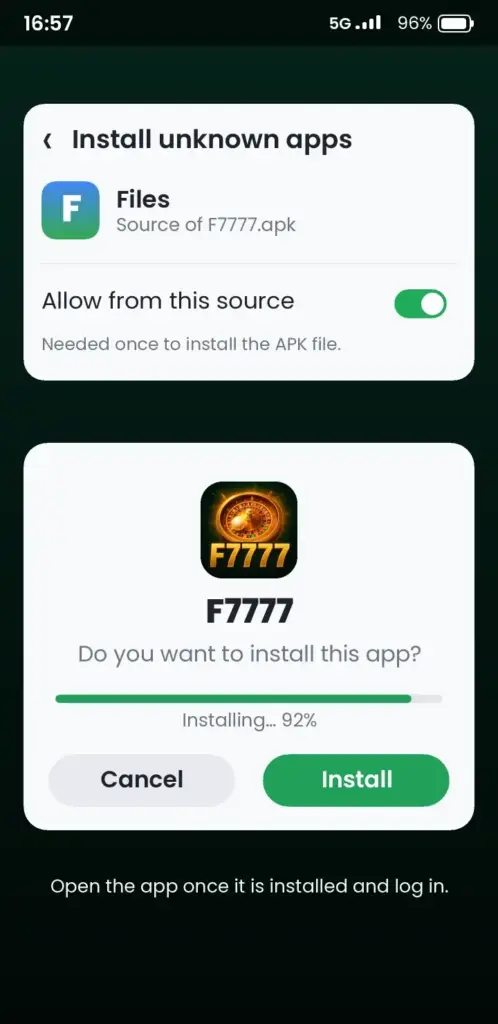
- Allow the source. Open Settings, then Apps, then Special app access, then Install unknown apps. Pick the browser you download with and switch Allow on. Samsung phones reach the same screen through Settings, Apps, the three-dot menu, Special access.
- Download the file. Tap the download button on this page. The APK lands in your Downloads folder, and a notification shows its name and size when it finishes.
- Open it. Pull down the notification shade and tap the finished download. Nothing happening? Open Files by Google, choose Downloads, and tap the .apk file there.
- Install. The installer shows the permissions the app requests. Read the list, tap Install, and let the progress bar finish.
- Log in. Tap Open and sign in with the details you already use on the site. First time here? Register before you install, so the app opens straight into your account.
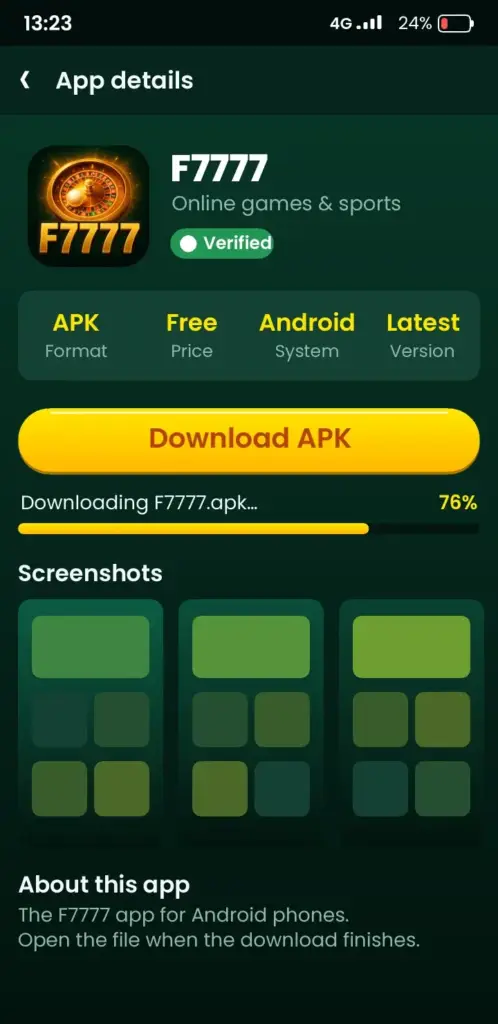
One prompt can appear mid-install: Play Protect saying the app is unknown. Tap More details, then Install anyway. That message means the file did not come from Google’s store, not that something was found inside it.
Which route fits your situation?
Find your row, follow it, and skip the rest of this section.
| Your situation | What to do | Time |
|---|---|---|
| Android 8 or newer, some free storage | Install the APK from this page | About 2 minutes |
| Storage nearly full | Clear the Downloads folder, then retry | 3 minutes |
| Play Protect blocks the file | Tap More details, then Install anyway | 30 seconds |
| App not installed on a reinstall | Uninstall the old copy first | 1 minute |
| You use an iPhone | Open the site in Safari and add it to your home screen | 1 minute |
| You only want to check a balance | Stay in the mobile browser | No install |
Three install errors and the fix for each
Nearly every failed install we hear about is one of these, and each cure takes under a minute.
Parse error
The file did not finish downloading, so Android cannot read it. Delete it from Downloads, check your connection, and pull it again. A partial file is like a torn page: the words are there, the sentence is not.
Not enough storage
Android needs room for the APK plus roughly the same amount again while it unpacks. Free up about twice the file size before you retry. Settings, Storage shows what is eating space, and old chat media is the usual culprit.
Play Protect blocks the install
Tap More details on the warning, then Install anyway. If that button is missing, switch off Scan apps with Play Protect in the Play Store settings, install, and turn it back on afterwards.
App not installed
An older copy with a different signature is still on the phone. Uninstall the previous version, then run the new file. Your account lives on the server, so nothing is lost.
Updating without losing your session
Install the new file over the old one and your login survives.
An update works like a fresh install with one difference: do not uninstall first. Download the newest APK from this page, tap it, and choose Update when the installer asks. Android replaces the old build and keeps your data. The only time you must uninstall is when the signature differs, which shows as App not installed.
Set a reminder to check every few weeks. Updates bring new game providers, fix cashier bugs and close security holes. The changelog inside the app lists what changed, and we note the big ones on this page.
Safety checks before you install
Four checks, all done in under a minute, and they keep a bad file off your phone.
Download only from the link on this page or from the platform itself. Files passed around in chat groups get modified, and a modified build can read your messages or your banking apps.
- Compare the file size with the figure on the download panel.
- Read the permission list: the app needs storage and notifications, nothing more exotic.
- Leave Play Protect scanning on after the install.
- Never type your password into a copy that opens with a different logo or a changed colour scheme.
If a download page asks for a payment before the file, close it. The app is free to install. Money only moves when you choose to deposit inside your account. Gambling carries real risk, and Gambling Therapy (gamblingtherapy.org) offers free, confidential online support explains how to set limits before you start.
Android app or mobile browser?
Both reach the same account; they differ in how much they remember.
| Point | Android app | Mobile browser |
|---|---|---|
| Install needed | Yes, one APK | No |
| Login memory | Stays signed in | Signs out more often |
| Notifications | Push alerts | None |
| Updates | Manual, from this page | Automatic |
| Storage used | Varies with device | Almost none |
Pick the app if you play most days and want alerts when a withdrawal clears. Stay in the browser if you check in now and then or share the phone with someone else.
Using F7777 on an iPhone
There is no iOS build, and the browser covers the gap.
Open the site in Safari, tap the share icon, then Add to Home Screen. You get an icon that opens the full site without an address bar, and your account works exactly as it does on Android. The same login, the same cashier, the same games.
We cannot confirm an App Store release date, so treat any page that promises one with suspicion. Check the official platform at f7777-bd.com if you want the current status straight from the source.
Where to go next in the app
Four screens do most of the work once you are signed in.
New players usually start with the welcome offer, then move to the game lobby. The bonuses page explains the wagering terms in plain words, and the slots section covers providers, volatility and paylines. Sports fans will want the sports betting pages for market types and slip rules. Crash players can read the Aviator walkthrough before their first round, and the casino games overview lists what else sits inside the lobby.
One honest note: the app is a tool, not a shortcut. It does not change the odds, and no build can promise a win. Set a budget before you open it, and stop when that budget is gone.
In short: install it for convenience, use it with a limit you decided in advance.
Ready to try it? Start your F7777 App Download here and the file plus the install steps are on one screen.
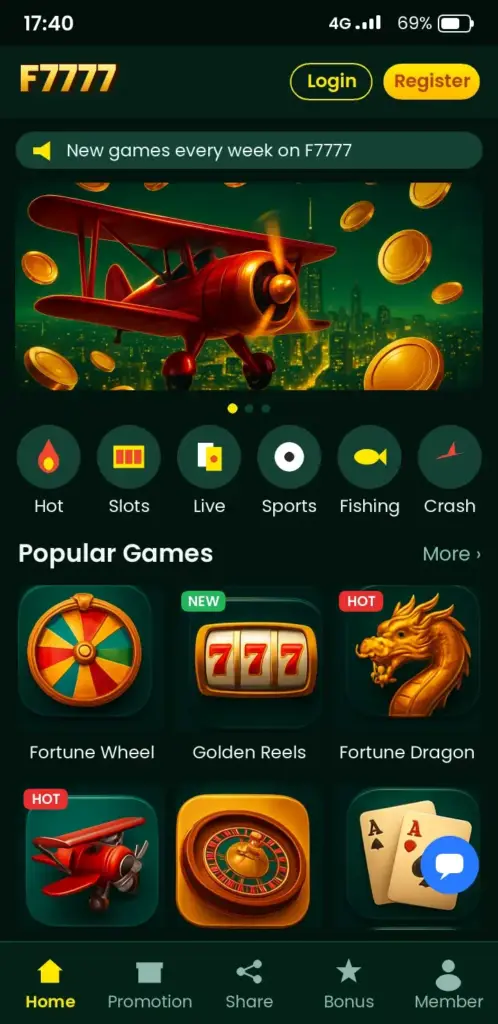
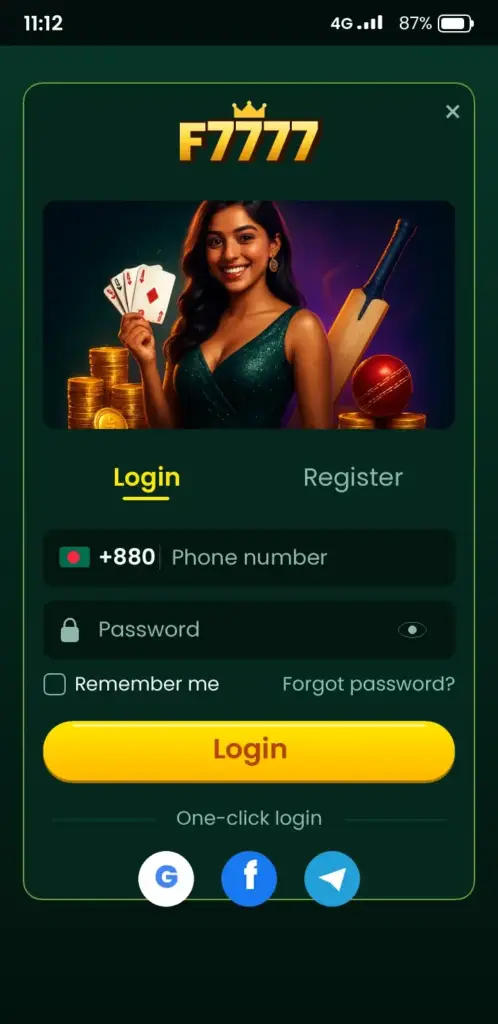
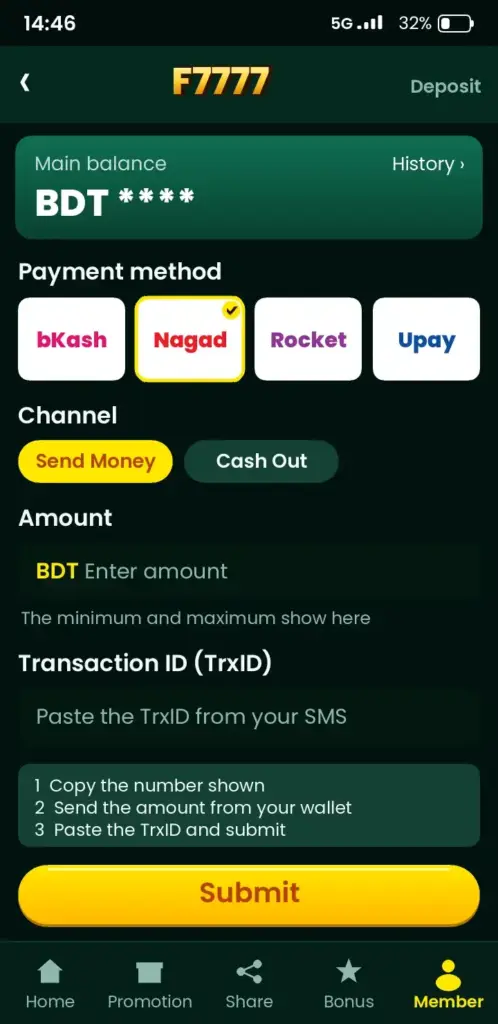
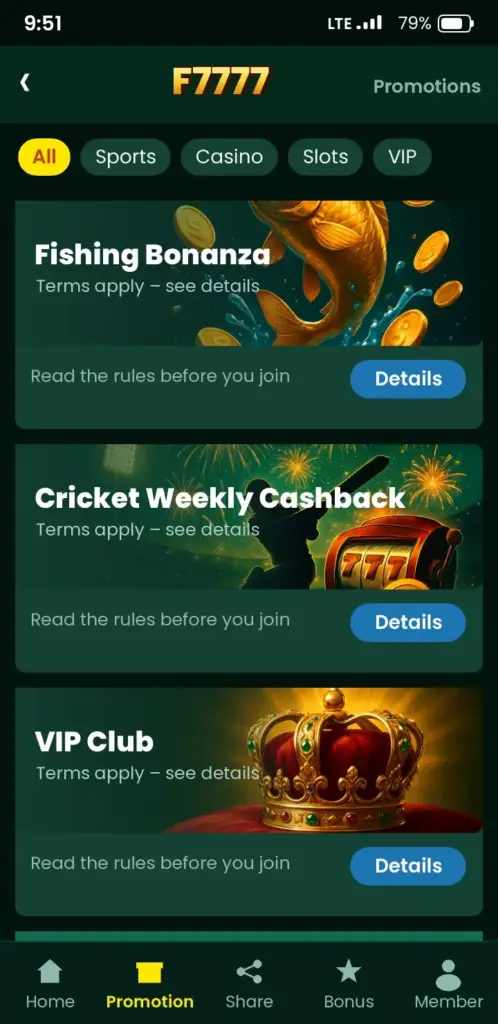
F7777 App Screenshots: Game Lobby, Login, Deposit & Bonuses
See how the F7777 app looks on an Android phone before you download it – tap any screen to open the app.
Frequently Asked Questions
How do I withdraw money from F7777 with bKash or Nagad?
Open the cashier, choose Withdraw, pick bKash or Nagad and enter the amount. The app shows the minimum and any fee before you confirm. Requests are processed in batches, so the money reaches your wallet after the platform approves it. Check the cashier for the current processing time and keep your wallet number correct.
Which payment methods can I use to deposit on F7777?
The cashier lists bKash, Nagad and the other options available for your country. Open Deposit, choose a method and follow the prompt on your phone. The minimum amount appears on the same screen before you confirm. Methods can change, so check the list inside the app rather than trusting an old screenshot.
How do I install the F7777 APK on Android?
Allow installs from your browser in Settings, download the APK from this page, then tap the finished file in Downloads. Tap Install and wait for the bar to finish. If Play Protect warns you, choose More details and Install anyway. The whole job takes about two minutes.
Can I use F7777 on an iPhone?
There is no iOS app. Open the site in Safari, tap the share icon and choose Add to Home Screen. You get an icon that opens the full platform without an address bar, and your account works the same as on Android. Check the site for any change to that.
Why does F7777 login keep failing on my phone?
Most failures come from a wrong password or an old saved login. Clear the app cache, then type the password by hand instead of using autofill. Check that your connection is stable. If the screen still rejects you, use the forgot password link and set a new one.
How do I reset my F7777 password?
Tap Forgot password on the login screen, enter the phone number or email tied to your account, and submit. A code or reset link arrives within a minute. Open it, set a new password and sign in again. If nothing arrives, check spam and confirm the contact detail you typed.
How do I register a new F7777 account?
Open the app or site, tap Register and fill in your phone number, password and the currency you want. Read the terms, confirm you are 18 or older, and submit. A code arrives by SMS to verify the number. Then sign in and open the cashier to make your first deposit.
What bonuses does F7777 give new players?
New accounts usually get a welcome offer on the first deposit, and the bonuses page lists the current version with its wagering terms. Read the playthrough requirement before you accept, because it decides how much you must wager before withdrawing. Offers change, so check the app for today's figure.
Can I bet on cricket at F7777?
Yes. Open the sports section, choose Cricket and pick a match. Pre-match and live markets are both there, including match winner and top batter. Add your pick to the slip, set the stake and confirm. Check the market rules before you stake, since settled outcomes follow them.
How do I update the F7777 app and check its size?
Download the newest APK from this page and install it over the old copy without uninstalling first, so your login stays. The download panel shows the current file size and version. For a clean check, open Settings, Apps, F7777 and look at Storage.